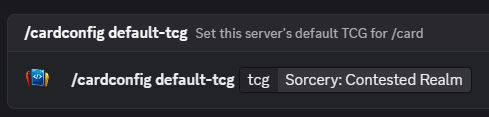
Set Sorcery: Contested Realm as your default TCG
Choose Sorcery: Contested Realm once, then keep server card lookups focused on Sorcery: Contested Realm without repeating the game name.
Card Coder Studios Discord Bot
Add the Card Coder Studios bot to your Discord server and search Sorcery: Contested Realm cards without leaving chat. Set Sorcery: Contested Realm as your default TCG, search by card name, pick the right match, and cycle through card variants with previous and next buttons.
Add the Discord Bot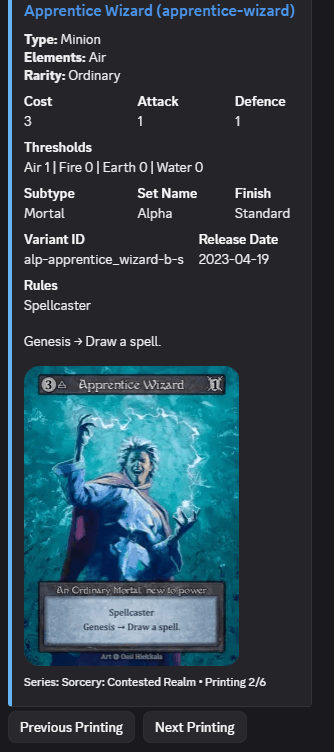
These examples show the main SorceryCard workflows: setting the default TCG, searching by name, choosing a card, and browsing variants from the Discord result.
Choose Sorcery: Contested Realm once, then keep server card lookups focused on Sorcery: Contested Realm without repeating the game name.
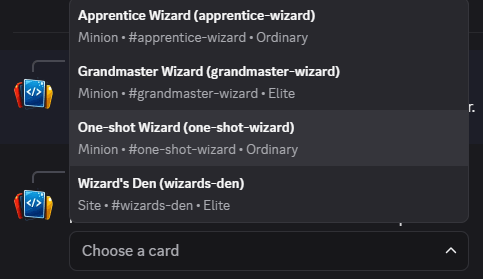
Type a card name and the bot returns fuzzy matches, so you can find the right card even when you do not know the exact title.
Select a card from the search results, then use previous and next buttons to move through the available card variants.
The bot uses SorceryCard data for card searches, so Discord lookups are tied to the same card database used across the site. Search by name, choose from the matching cards, then move between available variants from the card result.